Let us take a moment and go through how construct the Two Secant Angle Theorem in GeoGebra.
The first thing you are going to do is create a circle. You can do this by clicking on the “Circle with Center through Point” icon and clicking twice, anywhere.
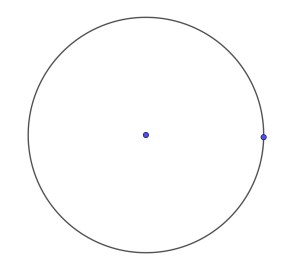
Once you have constructed your circle, you can move on to creating your secant lines. According to WolframMathWorld, “a secant line, also simply called a secant, is a line passing through two points of a curve. As the two points are brought together (or, more precisely, as one is brought towards the other), the secant line tends to a tangent line” (Secant Line). Select the “Line” icon and click two points anywhere on the circle. Do this twice. You need to make sure when you create your lines, they intersect in one place outside the circle. Your circle should look similar to the one below. Note, your circle and secant lines do not need to be identical to the one I have included.
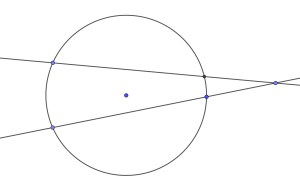
When you create your circle, you may have an additional point on the circle (you should only have 4 points at the intersections of the secant lines and the circle). You can hide this point by holding down on it, if you are using a device such as an iPad, select “Show Object” and the point will no longer be visible. View the image above to see all of the point placements.
Next, lets add some labels to our points. Your circle/secant lines should look similar to the image below.
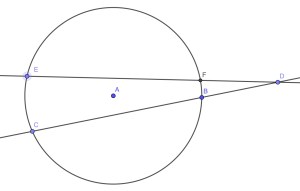
Now, find the angle measure of the intersection of the two secant lines outside your circle.
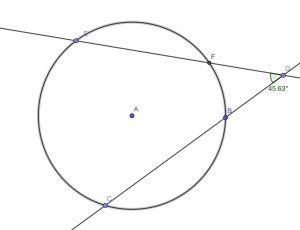
Next, this part is a little complicated, so make sure you pay close attention. Select the icon “Circular Sector”.
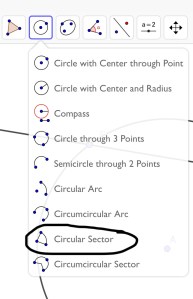
You are going to click on the midpoint of the circle and then the two arcs in the middle of the secant lines. You’re image should look similar to the one below.
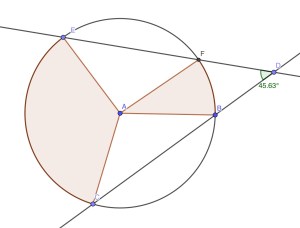
Next, we need to add in the interior arc measures. “An arc measure is the measure of an angle that the arc creates in the center of a circle, while an arc length is the span of the arc” (Pennington). This can be measured in degrees or radians and can be converted between the two. We do this by selecting the “Angle” icon and creating the angles in the center. View the image below for a visual representation of an arc measure.
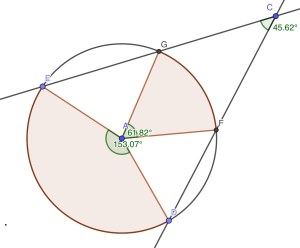
You should have noticed the angle measure of point D corresponding to the arc measures of ED and GF. If you remember from the introduction, we are trying to show that the measure of angle D is equal to half the difference of the farthest arc measure and the closest arc measure. This would be a great time to take a calculator out and compute whether or not the Two Secant Angle Theorem holds the image I have presented to you. The image below is from the app called WolframAlpha. This website/app is a beneficial tool to use when you want to quickly compute something and you can’t happen to find a calculator.
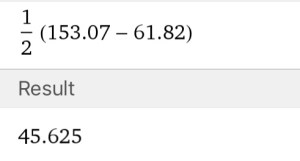
Therefore, we see now that the formula for the Two Secant Angle Theorem does in fact work. I challenge you to explore this theorem on your own and to construct your own image and see how it compares to the one I have shown you today. Intersecting Secant Angles Theorem is a website where you can explore the theorem further. It provides important definitions regarding this theorem and an interactive program that allows you to manipulate a circle and secant lines to see the relationship between the two center arc measures and the exterior angle that intersects two secant lines.
Continue on to the Teacher Discussion for more information pertaining to this theorem in the classroom.
 Bree’s Mathematical Blog